In the lab · Built and working, but only in the direct download of mChatAI+, behind the Show Experimental switch on the home screen.
Vault
One searchable place for the files you point it at and everything you have made in the app.
In the lab · Experimental, in the direct download only — switch on Show Experimental on the home screen to see it
What it does
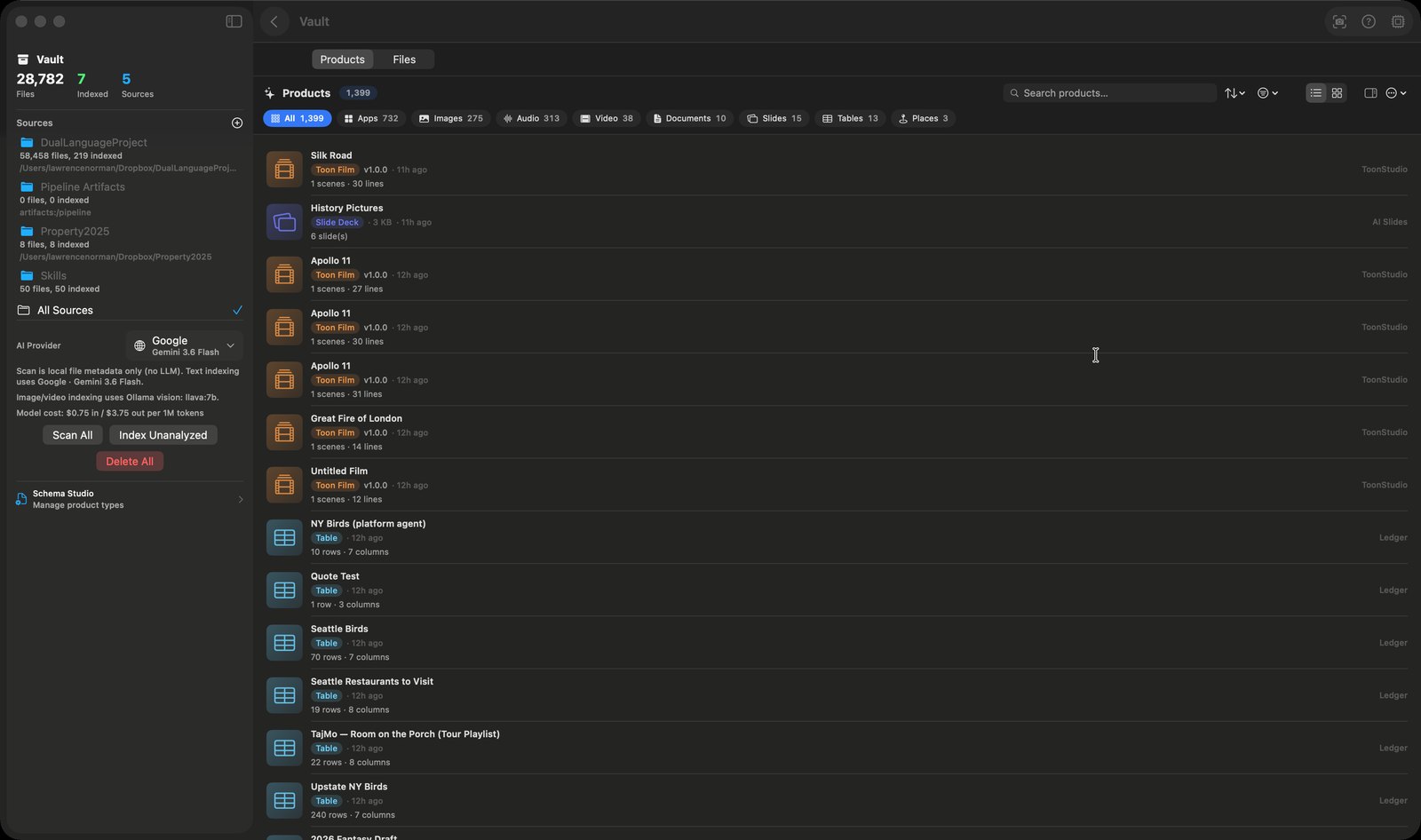
- Splits into two libraries behind a Products / Files picker: the things you made in mChatAI+, and the files you pointed it at on disk
- Groups products by family - Apps & Games, Images, Audio, Video & Film, Documents, Slides, Automation, Tables, Places, Other - with a live count on each chip, search, sort, a list or grid layout, real thumbnails and a side inspector
- Gives each product an "open it where it belongs" action from a single router: a film offers "Open in ToonStudio", a generated image "Open in DreamSnap" or "Open in Image Studio", an icon "Open in Icon Maker", a pipeline "Open in Automation", audio "Open in AI Audio"
- For files, you add folders as sources and run two separate passes: "Scan All" reads file metadata locally with no model involved, and "Index Unanalyzed" asks a model to summarise and tag what it found
- Text, PDF and code files are summarised by the provider you pick in the sidebar, which also shows that model's cost; images and video keyframes go to a local Ollama vision model instead
- Searches with SQLite FTS5 full-text search across names, summaries and extracted text, with an "Ask about files" chat that feeds the search hits plus anything you have selected to a model and answers in prose
- Previews a selected file inline, including video and audio playback through a single shared player, and offers Open with Default App, Reveal in Finder, Copy Path, Copy Name and Copy Text
How to try it
- Open Vault and click the + beside "Sources" in the left sidebar to add a folder.
- Click "Scan All", then "Index Unanalyzed" to have a model summarise what it found.
- Switch the top picker to "Files", type in the "Search files..." box, and click a row to preview it.
- Click "Ask about files" and ask something like "where is my 1099?".
Works with
- Every applet that makes something - ToonStudio, Image Studio, LoopStar, DreamSnap, AI Slides, MapGuide, AI Audio and the build harness all write rows into the same product store
- Ollama - image and video indexing needs a local vision model such as llava, and the sidebar names whichever one it found
- The mini-app runtime - a mini-app product plays inside Vault in the real bridged runtime, after you approve its permissions once
Vault ships with mChatAI+. Native macOS app. Your own API keys, or fully on-device. Get mChatAI+