In the lab · Built and working, but only in the direct download of mChatAI+, behind the Show Experimental switch on the home screen.
ToonStudio
Type dialogue as "Name: line", give each character a voice, and export the cartoon as an mp4.
In the lab · Experimental, in the direct download only — switch on Show Experimental on the home screen to see it
What it does
- Turns typed dialogue into a staged film: write lines as "Name: line" and press Build Scene, or paste a finished screenplay and press Import Script
- Speaks every line with a voice engine chosen per character - Apple on-device, OpenAI, ElevenLabs, Google or mChatAI Cloud - and builds each puppet's mouth track from the rendered audio's own amplitude envelope rather than from the text alone
- Lets you record or import your own take for a single line; pressing Voice It again re-renders the rest and deliberately leaves your own recordings alone
- Gives four tabs over one shared timeline - Script, Cast, Props, Stage - with Cmd-Z undo/redo, Cmd-S save, and a transport where space plays and the arrow keys step
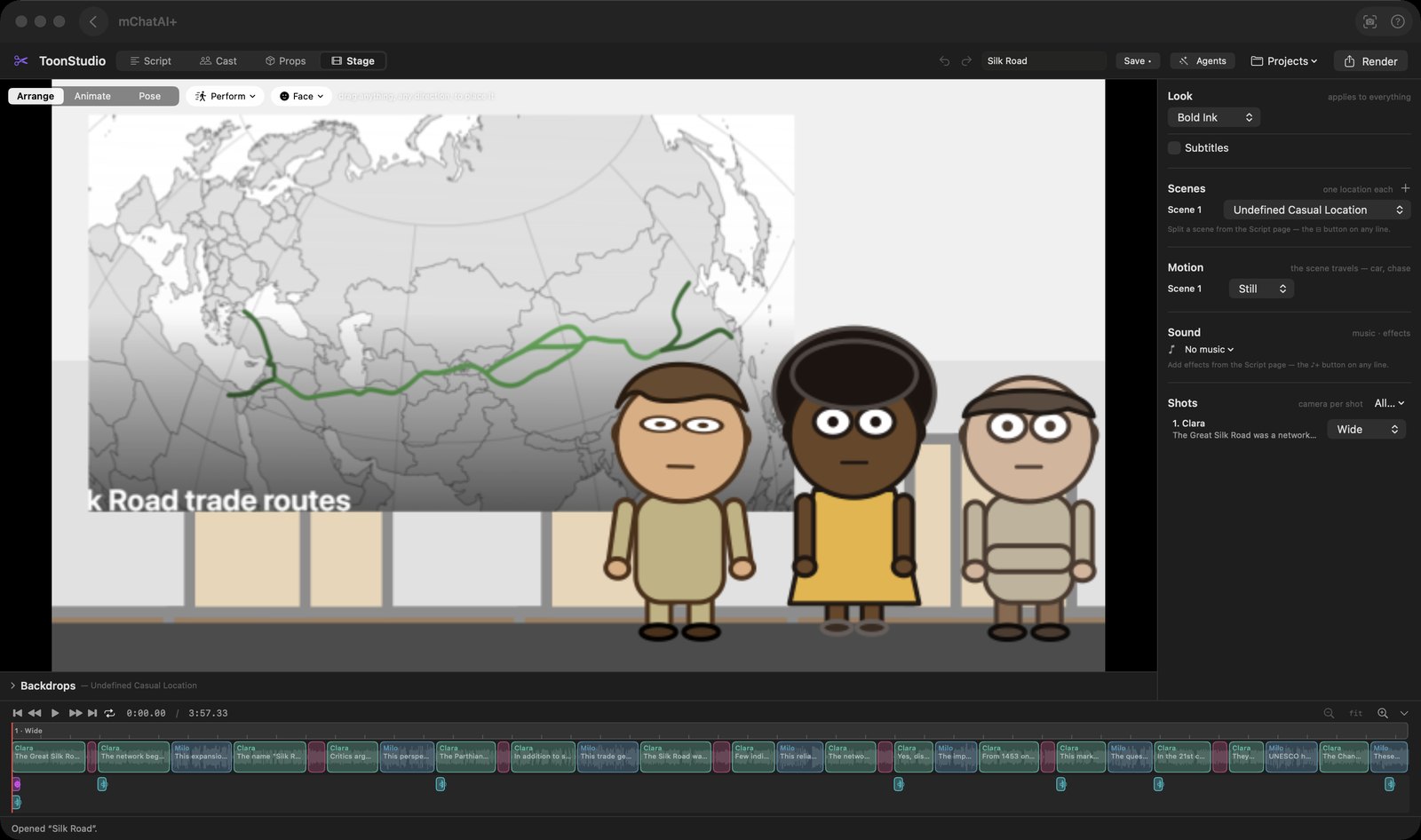
- The Stage tab has Arrange, Animate and Pose modes: drag a character around the picture, rotate a limb at its joint, set a camera move per shot, pick a music bed and its level, and switch subtitles on
- Render exports an mp4 and voices the film first if it has no takes yet; a "Send to Editor" button then files that mp4 in the Video Recorder library
- The Agents button runs a shipped recipe that builds a whole film from a prompt - absurd-news, straight-news, classic-story and history - and "Edit every step…" lets you rewrite each step's prompt
How to try it
- Open ToonStudio and press "Load the sample" on the Script tab, or type your own lines as "Name: line" and press "Build Scene".
- Press "Voice It" to render the spoken audio for every line.
- Press the play button in the timeline transport, or the space bar, to watch it back.
- Press "Render" in the top-right to export the film as an mp4.
Works with
- Video Recorder - after a render, "Send to Editor" adds the mp4 to AIVidRecorder's library
- Vault - a saved film registers as a product of type "endproduct-toon-film", so it appears in Vault's Products list and its action there is "Open in ToonStudio"
- mchatai-source - 46 puppets, 19 backdrops, 6 example stories, the sound effects and the 4 agent recipes all live in frameworks/toon-studio as content, not in the app binary
- The automation pipeline engine - an Agent is a named pipeline the applet runs, then opens the film it produced
ToonStudio ships with mChatAI+. Native macOS app. Your own API keys, or fully on-device. Get mChatAI+