Tools
Video Recorder
Screen and webcam recording, then an editor that cuts out your ums and dead air.
Tools · Asks for Screen Recording permission the first time
What it does
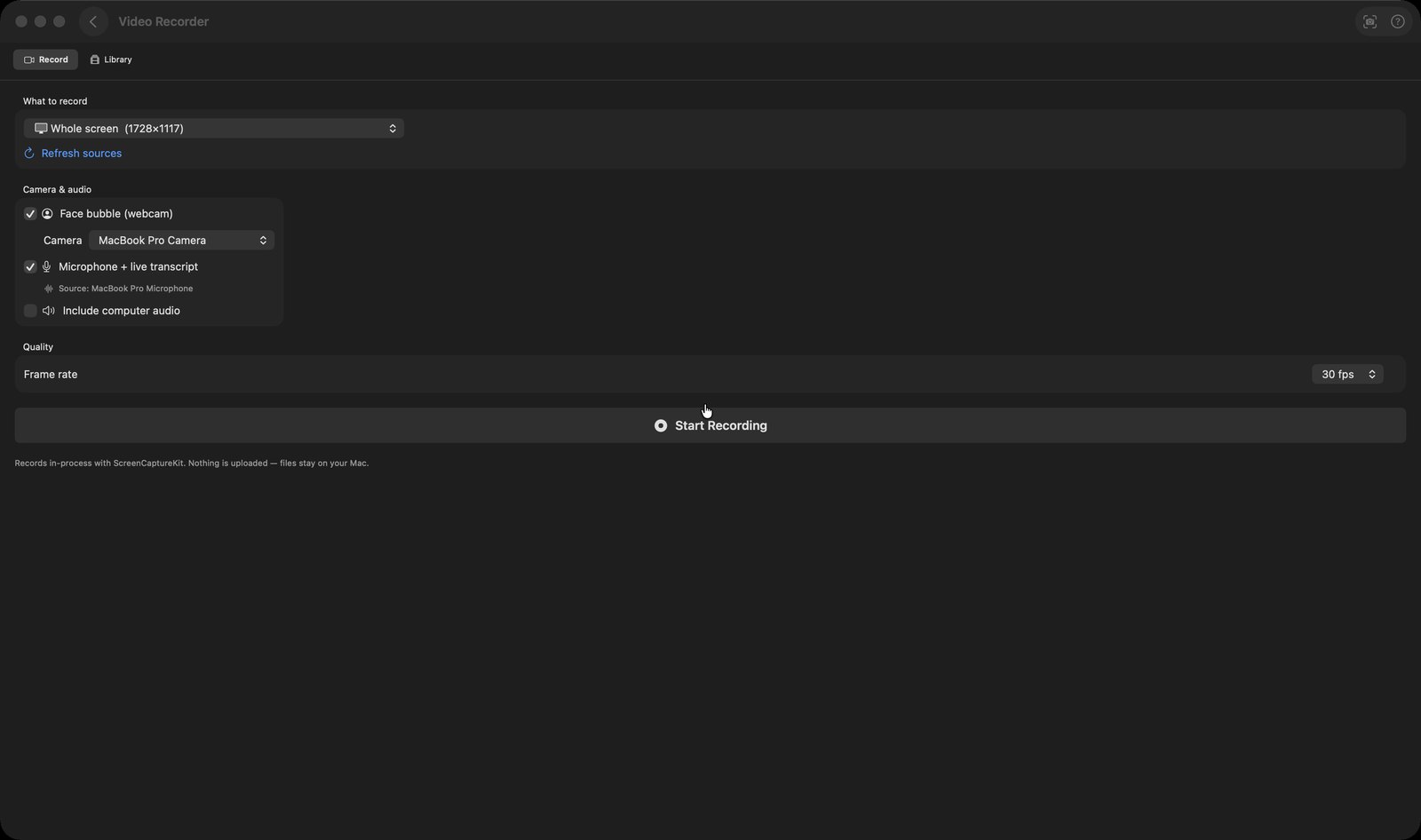
- Records a whole display or a single window using ScreenCaptureKit, with optional webcam, microphone and computer audio, at 24, 30 or 60 fps. The setup screen states plainly that nothing is uploaded and files stay on your Mac.
- While recording, a floating control bar and a draggable webcam bubble sit on top of every app. Their window IDs are passed to the capture filter as exclusions, so they do not appear in the finished video. With the mic on, a live transcript fills in as you talk.
- The editor transcribes the audio with your choice of engine — "Apple (on-device)", "OpenAI Whisper (your key)" or "mChatAI Cloud" — and shows the words. "Auto-clean" finds filler words and dead air and cuts them. An "AI polish" checkbox has Apple's on-device model re-check each flagged word first, so real words are not cut by mistake; if that call fails, the deterministic result stands unchanged.
- Drag a range on the waveform to Delete, Silence, Restore, or Re-record your narration over it. Undo and redo apply throughout, and a "Edits saved automatically" badge sits in the header.
- Add text boxes with their own on-screen start and end times, auto-caption from the transcript (with an on-device "Add punctuation" pass), record a webcam commentary track over an existing video, and speed the result up to 2x.
- Export presets are "YouTube — 16:9", "Reels / Shorts — 9:16", "Square — 1:1" and "Original aspect". The Library tab also has "Import Video…" for footage recorded elsewhere and a one-click "Auto-edit & Export".
How to try it
- Open Video Recorder. If asked, click "Enable Screen Recording" and grant it in System Settings.
- Under "What to record", pick a source, then switch on "Face bubble (webcam)" and "Microphone + live transcript".
- Click "Start Recording", talk for a minute, then press Stop on the floating control bar.
- Switch to the Library tab, open the recording, click "Auto-clean", choose an export preset and click "Export".
Works with
- mChatAI Cloud, as one of the three transcription engines
- The product deep-link router — a recording can be opened straight from elsewhere in the app, via ids of the form "aividrec-<uuid>"
- mchatai-source content: the filler-word list, silence thresholds and the AI-polish prompt are read from harness/autoedit/autoedit-config.json in the source repo, with clamped fallbacks in the binary, so they can be tuned without a new build
Video Recorder ships with mChatAI+. Native macOS app. Your own API keys, or fully on-device. Get mChatAI+