Audio
AI Audio
Record, generate, trim and mix audio in one library that syncs to your iPhone over iCloud.
Audio
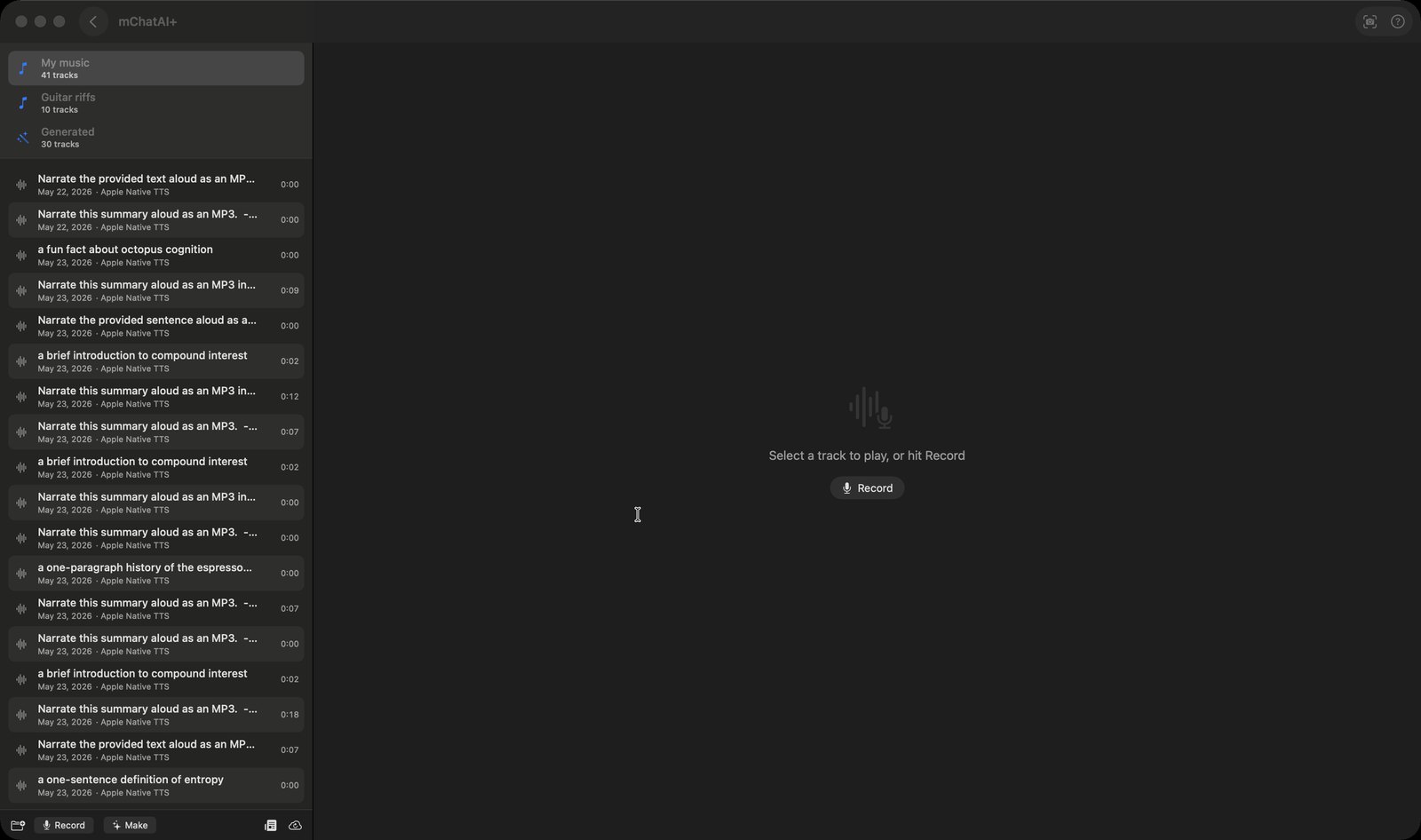
What it does
- Records from your Mac's microphone with a running timer, a live level meter and pause/resume, then lets you name the take and click 'Save to Library' to file it in a folder
- A 'Transcribe' button turns a finished recording into text using Apple's speech recognizer; the text is stored with the track and shown under a 'Source Text' section in the track view
- A 'Make' sheet generates audio from a prompt in two modes: Speech (Apple's built-in voices need nothing, OpenAI or ElevenLabs voices need your own API key or an mChatAI Cloud sign-in) and Music (cloud-only; it refuses with 'Sign in to mChatAI Cloud' otherwise). Results land in a 'Generated' folder
- Track detail shows a waveform, play/pause with 10-second skip buttons, and draggable trim handles — pressing 'Save' permanently shortens the track to the range you kept. The same view has Rename and 'Append Another Track...', which joins two recordings into a new third one
- Right-click a track and pick 'Record Vocal Over This…' to sing over it; the resulting project view has per-layer volume sliders, a master limiter with a Drive control, and an 'Update Master Mix' button
- Each layer gets an effects rack: Compression, Distortion, Pitch Shift, EQ, Delay (with a tap-tempo button and 1/16 to 1/4 note sync), Reverb, Varispeed and Master Limiter
- Folders, tracks and the audio files themselves upload to iCloud as CloudKit assets in the same container the iOS app uses; one toolbar button re-syncs from iCloud and another pulls audiocast deliveries down into the 'Podcasts' folder
How to try it
- On the mChatAI+ home screen, open the 'Audio' band and click the 'AI Audio' card.
- Click 'Record' in the bar at the bottom of the left column, press the red record button, press the stop button when done, then click 'Save to Library'.
- Click 'Make', leave Mode on 'Speech', type a sentence and press 'Create' — the clip appears in the 'Generated' folder.
- Select a track, drag the trim handles, then press 'Save'. Note this rewrites the track: the trimmed-off audio is gone.
Works with
- Audiocast Creator — every render it produces is also imported into the Audio Library's 'Podcasts' folder
- LoopStar — its exportToAudioLibrary verb renders the arrangement to a WAV and files it here
- Vault — an 'Open in AI Audio' link resolves the file and selects the matching track, or copies it into 'Generated' if the library does not have it yet
- iOS app — folders, tracks and the audio files sync through the same iCloud container the iOS app reads
Drive it from an agent
These commands are callable by Claude Code, Codex, or any agent talking to mChatAI+ through the portal:
audiolibrary.getState
audiolibrary.listFolders
audiolibrary.listTracks
audiolibrary.createFolder
audiolibrary.importTrack
AI Audio ships with mChatAI+. Native macOS app. Your own API keys, or fully on-device. Get mChatAI+