Audio
AI Music
Browse and play Apple Music inside mChatAI+, with Shazam, likes and your own playlists.
Audio
What it does
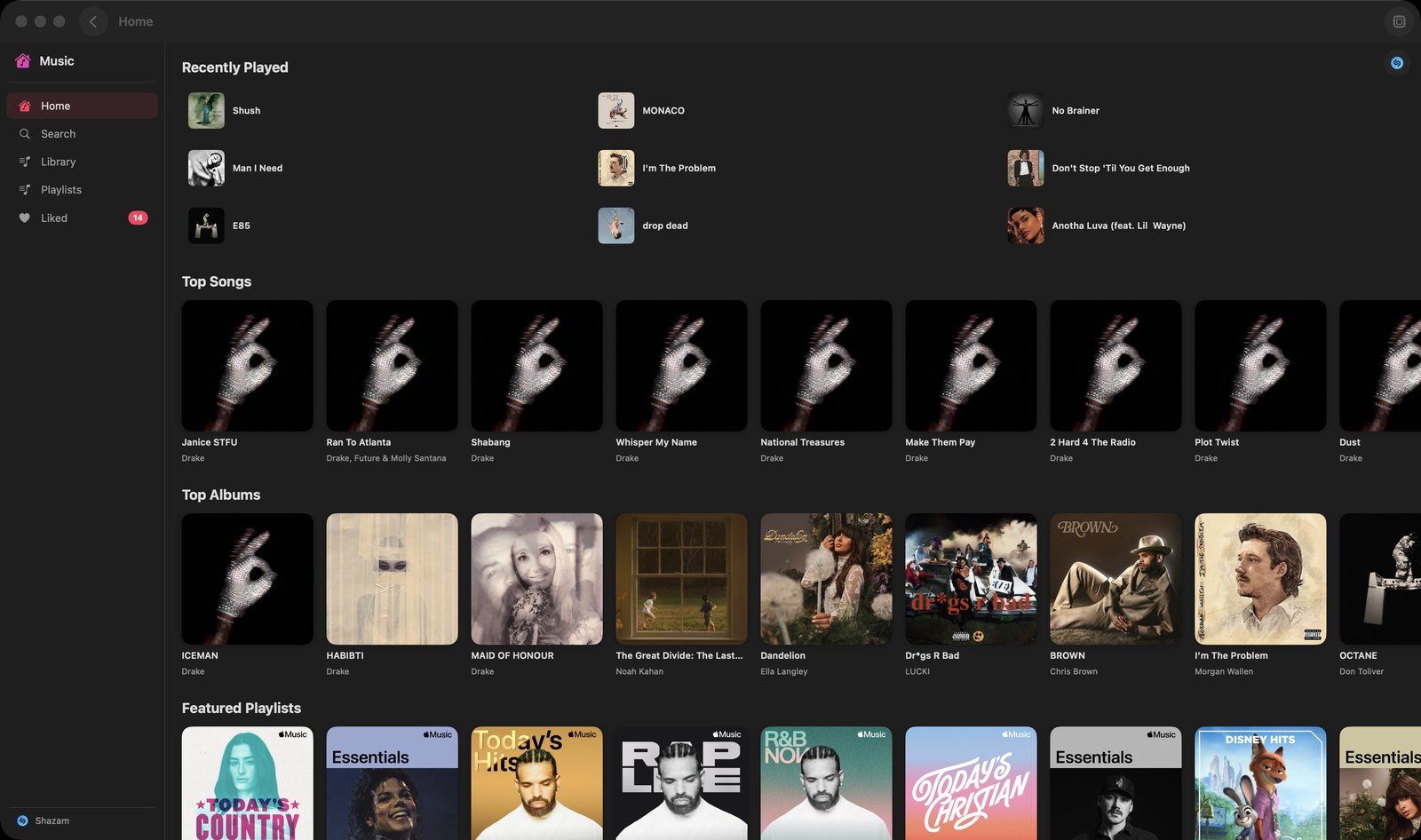
- Sidebar of Home, Search, Library, Playlists and Liked. Until you connect, a 'Connect Apple Music' screen stands in the way; playback runs through Apple's own music player, so it needs an Apple Music subscription
- Home pulls Recently Played, Top Songs, Top Albums and Featured Playlists from Apple Music, with album, artist and playlist pages you can open and play from
- Search the Apple Music catalogue and get Songs, Albums, Artists and Playlists back; the Library section fills with music you have played in the app
- A Shazam button (top-right of the content area, and again at the bottom of the sidebar) listens through the microphone, identifies the music playing around you and lets you play the match
- Hearting a song adds it to a Liked list inside the app AND to your Apple Music library; the Liked view has Play All, Shuffle and 'Remove from Liked Songs'
- Playlists built here are the app's own, stored locally — 'New Playlist', 'Add Songs' by search, 'Remove from Playlist', Shuffle and 'Delete Playlist'
- A now-playing bar sits under the content while something is playing and expands into a full player sheet; a toolbar button (tooltip 'AI Actions') opens a side panel with Describe Track, Mood Tags, Lyrics Analysis, Playlist Description and Find Similar
How to try it
- On the mChatAI+ home screen, open the 'Audio' band and click the 'AI Music' card.
- Click 'Connect Apple Music' and approve the media access prompt.
- Click 'Search' in the left sidebar, type an artist, and click a result to play it.
- Click the Shazam button in the top-right corner of the window (tooltip 'Shazam — Identify Music') and let it listen to music playing nearby.
Works with
- Audio Books, Podcasts and AI Radio — starting playback here pauses whichever of those is playing, and the app-wide mini player at the bottom of the window switches to show whatever is audible
- Vault — a saved playlist can be opened straight back into this applet, ready to play
AI Music ships with mChatAI+. Native macOS app. Your own API keys, or fully on-device. Get mChatAI+