Audio
Audio Books
Stream free public-domain audiobooks from LibriVox and pick up exactly where you stopped.
Audio
What it does
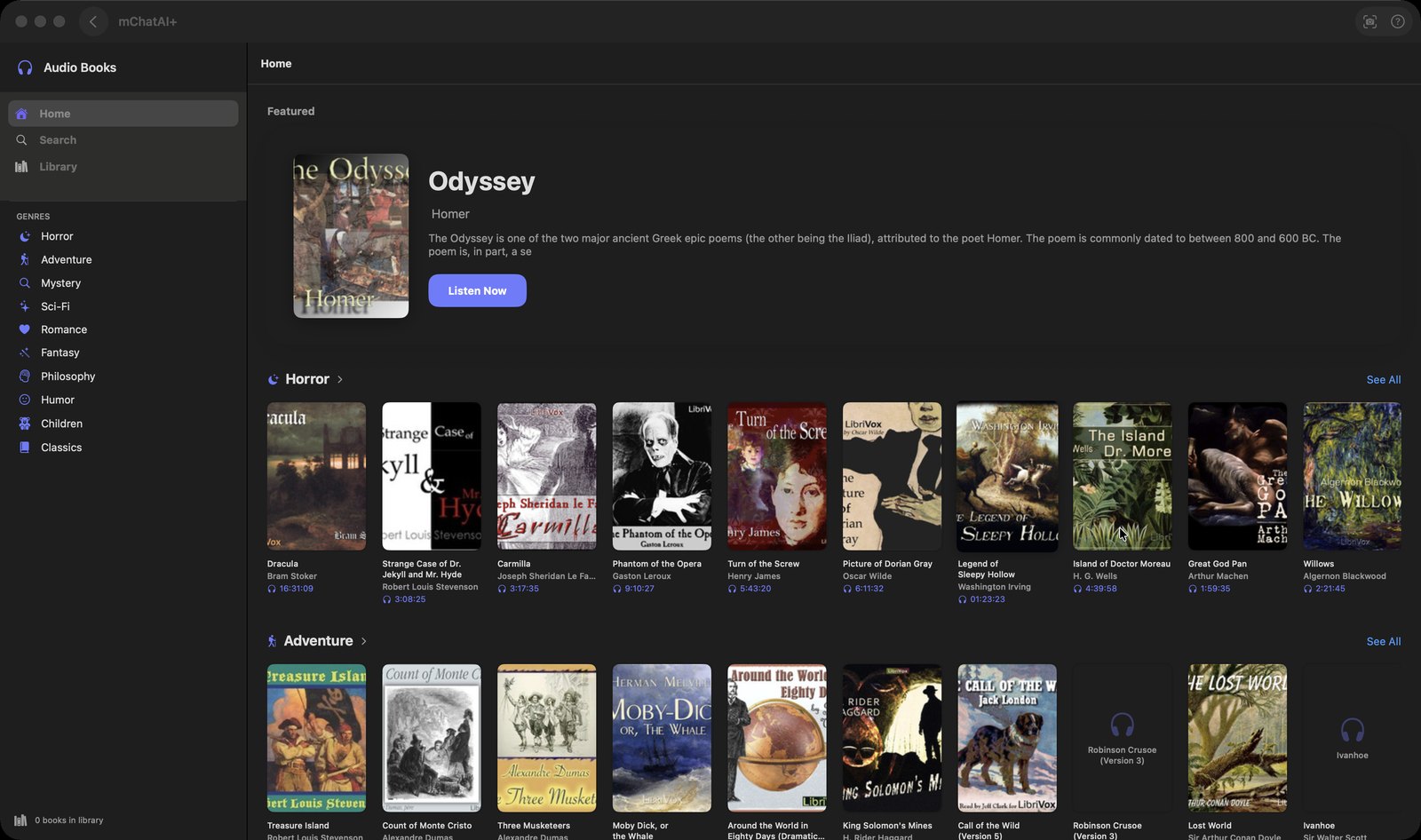
- Home, Search and Library in the sidebar, plus a 'GENRES' list — Horror, Adventure, Mystery, Sci-Fi, Romance, Fantasy, Philosophy, Humor, Children, Classics — where each entry drops you into Search with that category already applied
- Home shows a Featured book with a 'Listen Now' button, shelves of public-domain titles with covers, and a 'CONTINUE LISTENING' card that resumes the exact spot
- Search LibriVox by title or author; opening a book loads its chapter list. Titles from the built-in shelves carry a pinned LibriVox recording id, so they resolve to a pre-checked recording instead of a fuzzy title match
- A transport panel beside the chapter list: previous and next chapter, 15 seconds back and forward, a scrubber and time remaining
- Your place is remembered per book down to the offset inside a chapter, keyed on the chapter's own stable id rather than its position in the list — so it survives a restart and survives the feed gaining or reordering chapters
- A bookmark button (tooltip 'Save to Library') keeps a book, and the Library tab shows each saved book with its resume point and when you last played it
- 'Download all' pulls every chapter for offline listening, or 'Download this chapter' one at a time; 'Delete download', 'Delete downloads (n)' and 'Start from beginning' sit in the menus
How to try it
- On the mChatAI+ home screen, open the 'Audio' band and click the 'Audio Books' card.
- Click a genre under 'GENRES' in the sidebar, or use Search, and open a book you like.
- Click a chapter to start playing, then use the 15-second and chapter buttons in the transport panel on the left.
- Click the bookmark button (tooltip 'Save to Library') to keep the book, and use 'Download all' above the chapter list if you want it offline.
Works with
- Podcasts, AI Music and AI Radio — starting a book pauses whichever of those is playing, and the app-wide mini player at the bottom of the window shows the book while you are in other applets
- mAgent — a 'find an audiobook' request opens this applet with the search already run
Audio Books ships with mChatAI+. Native macOS app. Your own API keys, or fully on-device. Get mChatAI+