Reading & research
AI Radio
Stream live radio from around the world, and transcribe or translate a station as it plays.
Reading & research
What it does
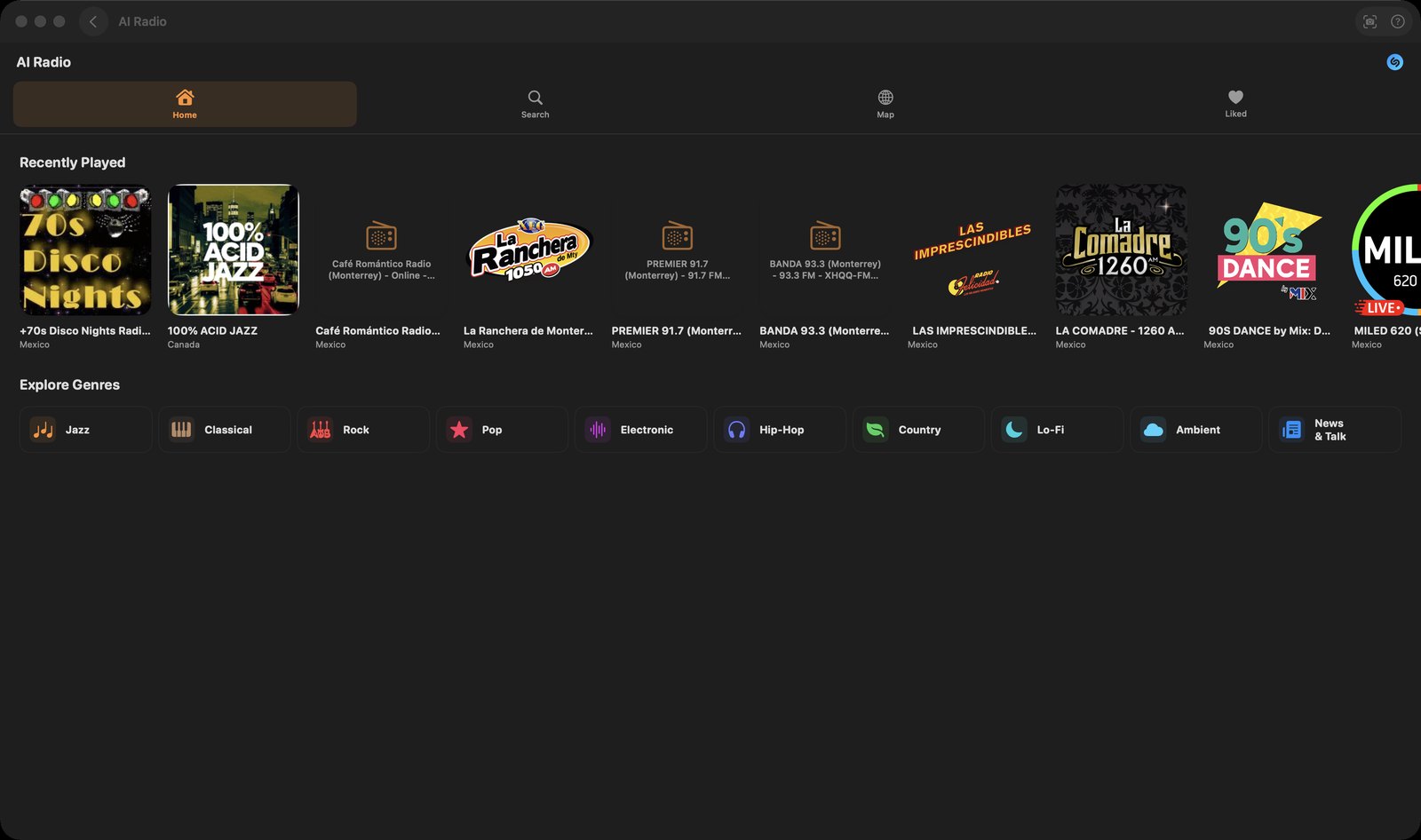
- Plays live internet radio sourced from the RadioBrowser directory: search stations by name, browse ten genre shelves under "Explore Genres" (Jazz, Classical, Rock, Pop, Electronic, Hip-Hop, Country, Lo-Fi, Ambient, News & Talk), or pick one off a world map that ranks stations by how often they have been clicked
- Reads artist and track names off the live stream (standard HLS metadata keys, plus the single "Artist - Track" title string that Icecast/Shoutcast servers send) and fetches matching album artwork from the iTunes Search API, so the player art changes as songs change
- Live transcription opens a second connection to the same stream, decodes the audio itself and feeds it to Apple's speech recognizer — no microphone involved. The sheet has a language picker, auto-scroll, copy, clear, and a Start/Stop button, and starts on its own if a station is already playing
- A second transcription sheet, reached from the "AI Radio Actions" menu, adds an "AI Write" button that files the finished transcript as a new document
- Live Translation runs that same transcription and sends each new chunk to a language model, showing the original and the translation side by side; you pick the source language from Apple's recognizer locales and one of fifteen target languages
- A chat window answers questions about whatever station is playing; it is primed with that station's name, country, tags and language
- Liked stations and recently played are stored on disk and synced between your devices over CloudKit
How to try it
- Open AI Radio, click "Search", type a station name, press Return, then click a result to start playing.
- Click the mini player strip at the bottom of the window to open the full player.
- In the full player, click the waveform-and-mic button to the left of the play button (tooltip: "Live Transcription"), choose the station's language and click "Start".
- For translation, click the sparkles button to the right of play (tooltip: "AI Radio Actions"), then "Live Translation" under the "Live Capture" heading.
Works with
- AI Write — the AI Radio Actions version of the transcription sheet has an "AI Write" button that creates a document titled "Radio: <station> (<date>)" holding the transcript
- The shared Shazam song-identification sheet (MusicShazamSheet), which the Music applet also uses
AI Radio ships with mChatAI+. Native macOS app. Your own API keys, or fully on-device. Get mChatAI+