Reading & research
AI Web
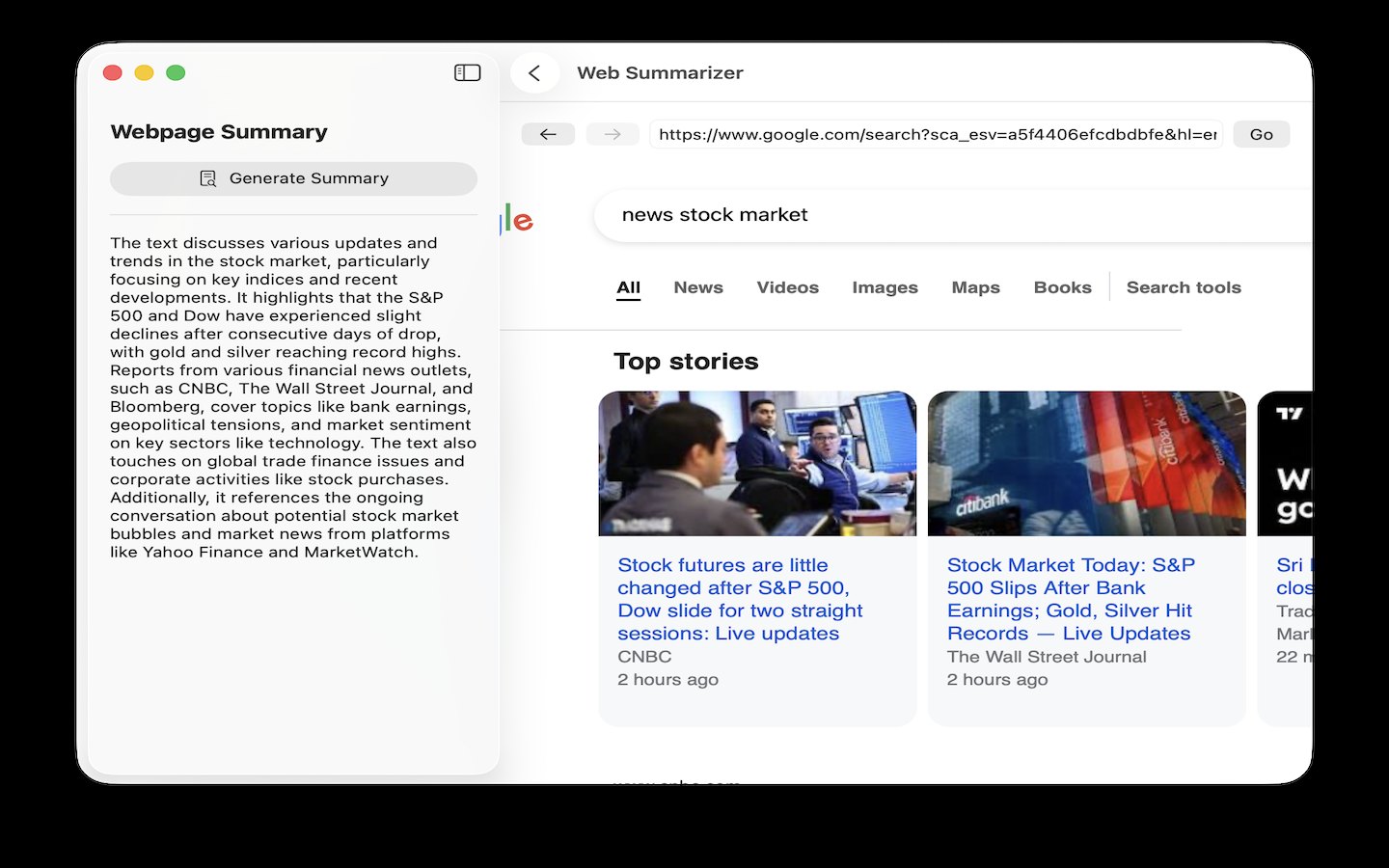
A browser inside the app, with a sidebar that summarizes the page and scores links for relevance.
Reading & research
What it does
- A working browser pane — address bar with a "Go" button, a suggestion dropdown that mixes web-search suggestions with your tracked sites and visit history, and a search engine you can switch between DuckDuckGo, Google and Bing
- "Generate Summary" reads the open page's text and writes a summary into the sidebar; PDFs work too, extracted page by page with PDFKit and Vision OCR for pages whose text layer is too thin, behind a progress overlay with a "Stop & Use What's Extracted" button
- Research agents are JSON files fetched from a public GitHub repo rather than compiled in, so new ones arrive without an app update. Three ship today: "Score for Relevance", "Turn Into Podcast Script", and "Extract Claims & Sources"
- On a listing page (search results, an arXiv index), the relevance agent pulls out every child link and scores them one at a time, records what it has already scored in a ledger so a re-run only covers new items, and puts a "Deep Dive" button on rows above your threshold that fetches the full page and rescores it
- Agent runs save markdown reports you can reopen; a report sheet has a "Turn into Podcast" button that writes a two-host script and renders it with Apple's built-in text-to-speech, then offers "Play" and "Edit script"
- "Schedule…" turns a scan agent into a recurring job with an interval slider (1 hour to 1 week) and a deep-dive score threshold; it runs only while mChatAI+ is open and catches up at next launch if a run was missed
- The Discover tab collects interest tags — scanned off your device or typed in — finds sites matching them, and can auto-browse and summarize them on a timer
How to try it
- Open AI Web, type a URL or a search phrase into the address bar and click "Go".
- In the left sidebar, stay on the "Summary" tab and click "Generate Summary".
- Switch the sidebar to "Agents" and click the "Score for Relevance" card — the agent opens in its own window.
- Fill in the form, press the Run button, and when it finishes click "View Report", then "Turn into Podcast" in the report sheet.
Works with
- mchatai-source — the agent catalog (
aiweb-agents/index.json) is fetched over plain HTTPS from raw.githubusercontent.com and cached on disk - The app's podcast player and audio script editor — a generated podcast offers "Play" and "Edit script"
- Community Hub — a finished podcast gets a "Publish to Hub" button
- Other applets can send a link here instead of Safari via the
openURLInAIWebnotification (Vault/ProductDeepLinkRouter.swift)
Drive it from an agent
These commands are callable by Claude Code, Codex, or any agent talking to mChatAI+ through the portal:
aiweb.getState
aiweb.listAgents
aiweb.describeAgent
aiweb.listReports
aiweb.proposeActions
aiweb.actionResult
AI Web ships with mChatAI+. Native macOS app. Your own API keys, or fully on-device. Get mChatAI+