In the lab · Built and working, but only in the direct download of mChatAI+, behind the Show Experimental switch on the home screen.
Image Studio
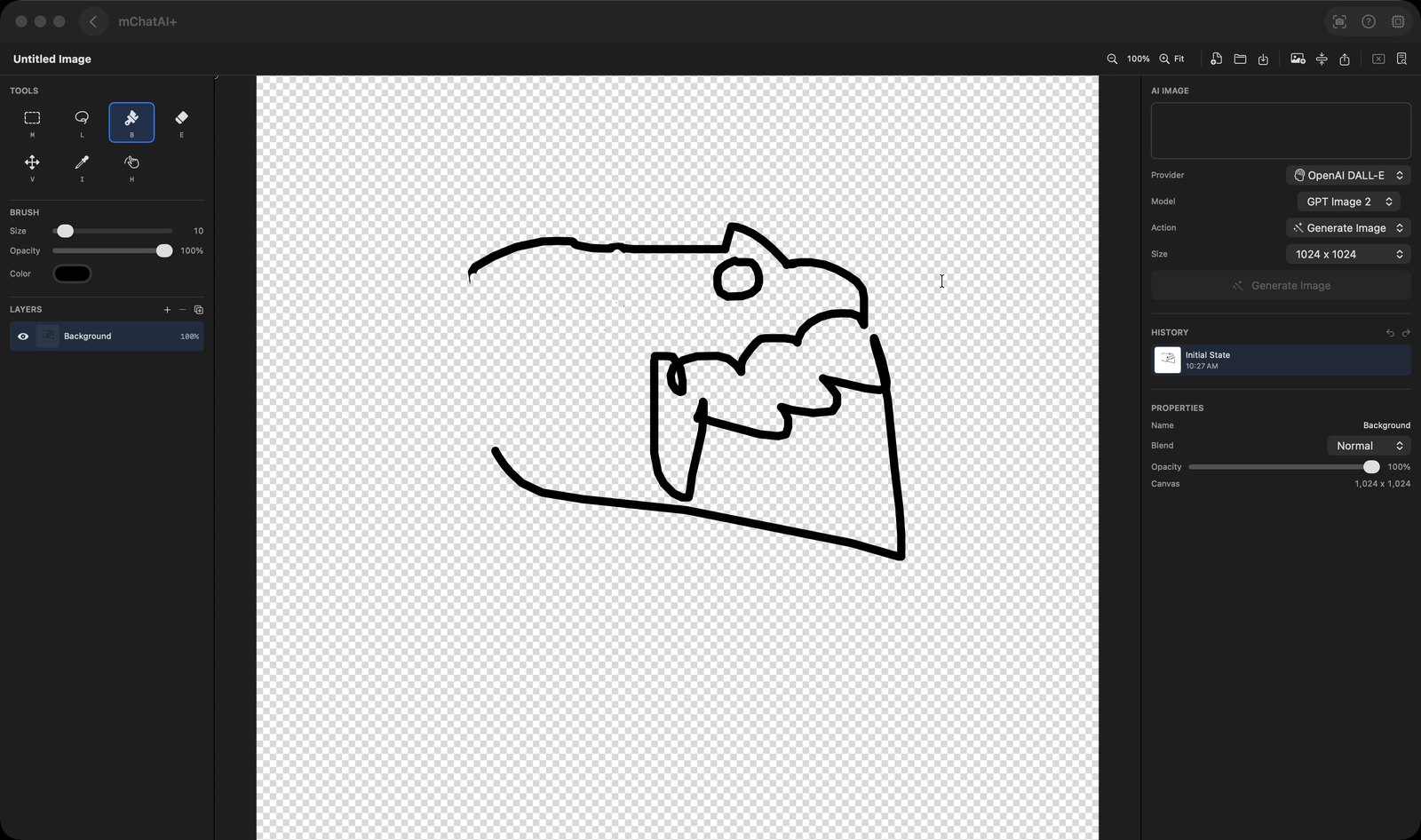
Generate an image from a prompt, paint on it in a layered canvas, and export a flat PNG.
In the lab · Experimental, in the direct download only — switch on Show Experimental on the home screen to see it
What it does
- Generates images from a text prompt through a Provider picker (OpenAI, Google, mChatAI Cloud) and a Model picker offering GPT Image 2, GPT Image 1 and DALL-E 3 for OpenAI, and Imagen 3 for Google, plus a size and - on DALL-E 3 and GPT Image 1 - a quality setting
- Adds each generated result as its own new layer rather than replacing the canvas, so generations and imported images stack together
- Gives you a real paint canvas with Select, Lasso, Brush, Eraser, Move, Eyedropper and Pan tools, each on a single-key shortcut, plus brush size, colour and opacity
- Manages layers with rename, duplicate, reorder, per-layer opacity, blend mode, show/hide and delete
- Offers three AI actions beyond plain generation, all in the same Action menu: "Edit Selection (Inpaint)" repaints just the area you marked with Select or Lasso, "Generate Variations" makes alternates, and "Remove Background" cuts the subject out on your own Mac
- Keeps a visual history in the right panel - a thumbnail per step, with undo and redo, so you can jump back to an earlier state
- Saves and reopens named projects at any canvas size, imports existing images, and batch-resizes a set of images to a saved size preset, writing PNG or JPEG into a folder you choose
How to try it
- Open Image Studio, type a description in the right-hand "AI Image" panel and press the "Generate Image" button.
- Pick "Brush" from the Tools list on the left and paint over the result.
- Change the "Action" picker to "Remove Background" and press the button again - its label follows the action you selected.
- Click the export icon in the toolbar to save a flattened PNG.
Works with
- Vault - exporting registers the project as one product row per project, so the image appears in Vault's Products list and offers "Open in Image Studio"
- Apple's Vision framework - Remove Background runs entirely on your Mac
- OpenAI, Google Imagen and mChatAI Cloud, through the same provider and model picker components the rest of the app shares
Image Studio ships with mChatAI+. Native macOS app. Your own API keys, or fully on-device. Get mChatAI+