Audio
Podcasts
Follow shows, download episodes, and let AI mark the ad breaks so you can skip them.
Audio
What it does
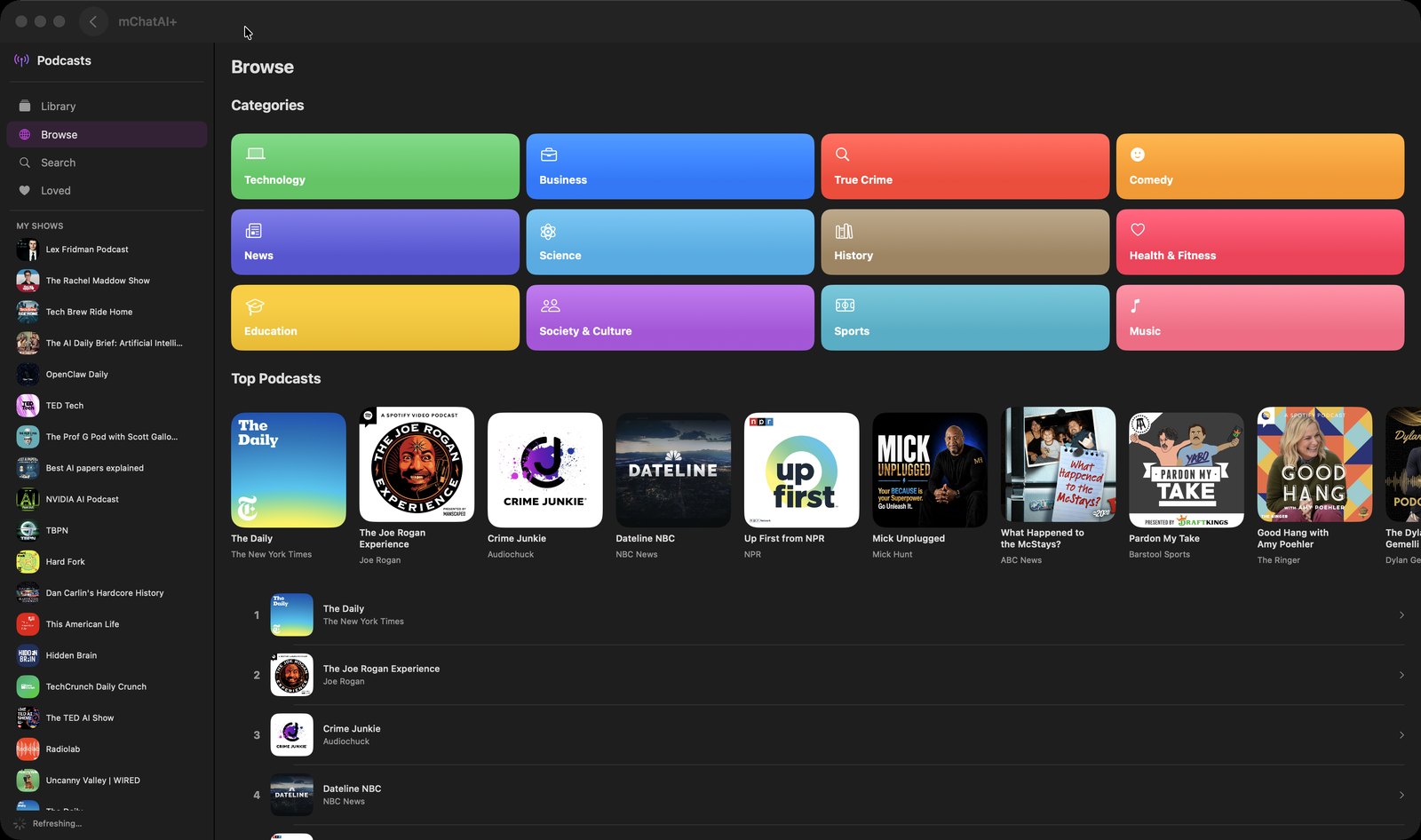
- Sidebar of Library, Browse, Search and Loved, plus a 'MY SHOWS' list with a 'Refresh' button that re-checks every followed feed
- Browse offers twelve category cards (Technology, Business, True Crime, Comedy, News, Science, History, Health & Fitness, Education, Society & Culture, Sports, Music) and a Top Podcasts chart; Search queries Apple's podcast directory and remembers your recent searches
- 'Follow' a show to load its episodes; Library then groups Recent Episodes, Shows and Downloaded
- Player bar with 15-second skip back and forward, a speed menu (0.5x, 0.75x, 1x, 1.25x, 1.5x, 1.75x, 2x), a scrubber, 'Mark as Played', a heart that files an episode under Loved, and 'Share Episode'
- 'Download' keeps an episode for offline listening, with a per-episode progress indicator while it downloads
- On a downloaded episode, 'AI Smart Analysis' transcribes the audio on your Mac and has an AI label the parts — intro, commercial, content, outro. They appear as a clickable 'AI Smart Segments' list with commercials badged SKIP, and the wand button in the player (tooltip 'AI Smart Skip') jumps you past the ad you are currently in
- 'Transcribe Podcast' produces a full transcript with a word count, an 'AI Clean-up' pass, Copy, and 'Save to AI Write' — which really does create a new AI Write document
How to try it
- On the mChatAI+ home screen, open the 'Audio' band and click the 'Podcasts' card.
- Click 'Search' in the sidebar, type a show name, open a result and click 'Follow'.
- Open an episode, click 'Download', then play it and try the speed menu and the 15-second skip buttons.
- On that downloaded episode, click 'AI Smart Analysis' — when it finishes, the ad breaks are listed and the wand button in the player skips them.
Works with
- AI Write — 'Save to AI Write' in the transcript sheet creates a new document holding the transcript
- Audio Books, AI Music and AI Radio — starting an episode pauses those, and the app-wide mini player follows whatever is playing
- Community Hub — an episode handed over from a Hub import is selected (and started) automatically when the applet opens
Podcasts ships with mChatAI+. Native macOS app. Your own API keys, or fully on-device. Get mChatAI+